
IMAP Migration: What You Need to Know Before Moving Email
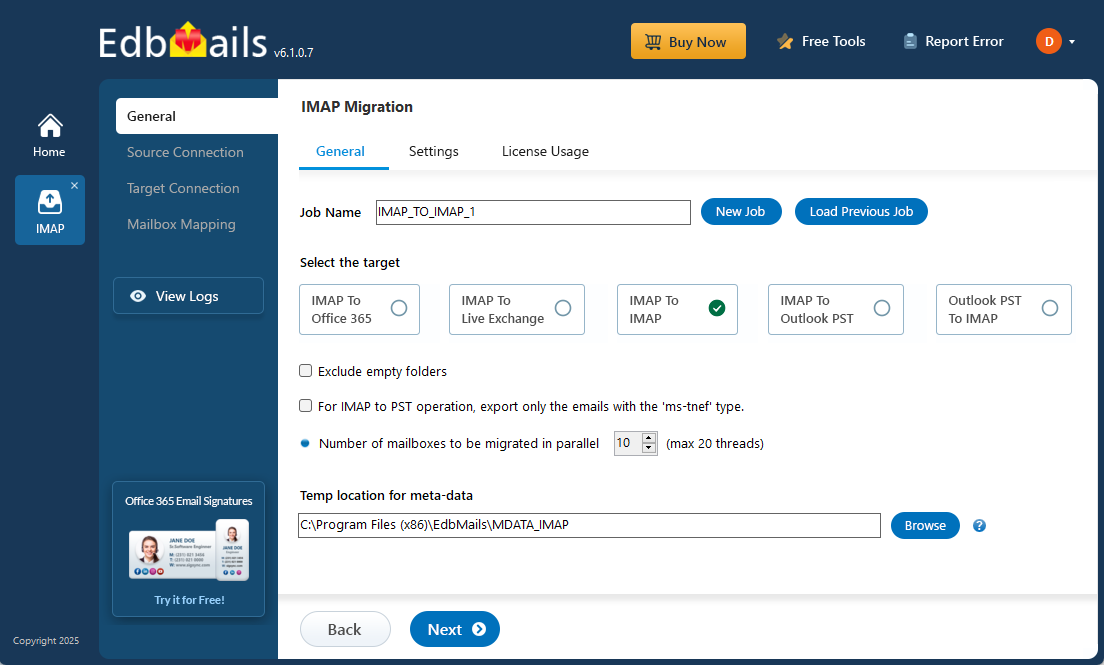
Moving email from one server to another can become complicated when multiple mailboxes, folders, large amounts of data, and different server configurations are involved. IMAP migration provides a practical way to transfer email between compatible mail systems, but a successful migration requires more than entering server credentials and starting the transfer. Understanding the requirements, preparing the source and destination environments, testing a small number of mailboxes, and verifying the migrated data can help reduce errors and make the process more predictable.
What Is IMAP Migration?
IMAP migration is the process of moving email messages and mailbox folders from one IMAP-compatible mail server to another. It can be useful when changing email providers, consolidating mailboxes, moving between hosted email services, or transferring email data to a new environment. Before starting, administrators should check the source and destination server settings, mailbox credentials, connection requirements, and available storage.
What Should You Check Before Migration?
Before starting an IMAP migration, confirm that the source server supports IMAP access and collect the required server address, port, encryption method, and mailbox credentials. The destination mailboxes should also be created and checked for sufficient storage. It is worth testing the connection with a small mailbox first so that authentication, security, or connectivity problems can be identified before the main migration begins.
What Does IMAP Migration Transfer?
IMAP migration primarily handles email messages and mailbox folders. Depending on the source and destination systems, other information such as contacts, calendars, tasks, rules, signatures, and application-specific settings may not be transferred through a standard IMAP migration. Understanding these limitations before beginning the process helps administrators choose an appropriate migration method and avoid expecting data that IMAP is not designed to transfer.
Why Is a Test Migration Important?
A small test migration can help identify problems before all mailboxes are transferred. Administrators can select a few accounts, compare the source and destination mailboxes, and check messages, folders, and attachments. Testing can reveal authentication problems, incorrect server settings, connection failures, folder mapping issues, missing messages, or attachment-related problems while there is still an opportunity to correct them.
How Can IMAP Migration Software Help?
For a small number of mailboxes, manual configuration may be manageable, but larger migrations can become difficult when many accounts need to be transferred. Migration software can provide a structured way to configure source and destination servers, map mailboxes, and manage the transfer process. EdbMails IMAP Migration Software can help administrators manage supported IMAP mailbox migrations by providing tools for configuring migration settings and transferring email data between source and destination environments.
How Should Migrated Data Be Verified?
After the migration, check several destination mailboxes instead of assuming that the process was successful simply because the transfer has finished. Review recent and older messages, open important folders, and check attachments to confirm that the expected data is available. For larger migrations, maintaining a record of migrated and verified mailboxes can also help identify accounts that may need additional attention.
Final Thoughts
IMAP migration can provide a practical way to move email between compatible mail systems, but successful migration depends on proper preparation. Checking server connectivity, preparing destination mailboxes, understanding what IMAP can transfer, testing a small number of accounts, and verifying the migrated data can help reduce unexpected problems. For larger mailbox transfers, using a dedicated migration solution such as EdbMails can make the process more organized by helping administrators configure migration settings and manage the transfer of email data between supported IMAP environments.

 English
 Arabic
 French
 Spanish
 Portuguese
 Deutsch
 Turkish
 Dutch
 Russian
 Romaian
 Portuguese (Brazil)
 Greek