
How to Repair a Corrupted PST File in Outlook
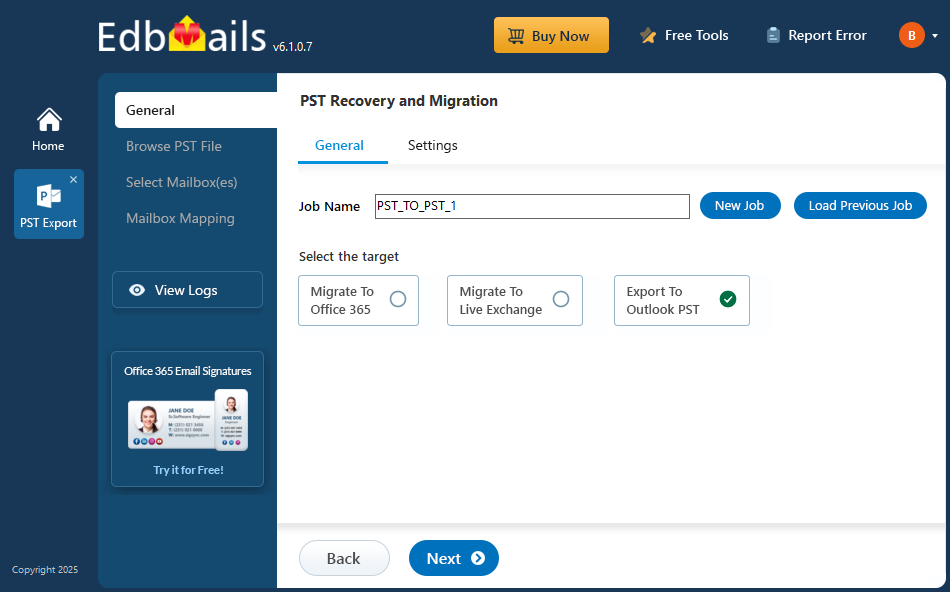
Microsoft Outlook uses PST files to store mailbox data such as emails, attachments, contacts, calendars, and other Outlook information. When a PST file becomes corrupted, Outlook may display errors, fail to open the file, or show missing mailbox data.
PST corruption can happen for several reasons, including improper Outlook shutdowns, oversized data files, storage problems, software issues, or interruptions while accessing the file.
Common Signs of PST File Corruption
Some common symptoms include:
- Outlook cannot open the PST file.
- Outlook reports that the data file needs to be repaired.
- Emails or folders are missing or inaccessible.
- Outlook freezes when accessing a particular folder.
- Error messages appear when opening or copying mailbox data.
What to Do Before Repairing a PST File
Before attempting any repair, make a backup copy of the original PST file. This gives you a safe copy if the repair process does not produce the expected result.
You should also close Outlook and make sure the PST file is not being accessed by another application.
Repairing a Corrupted PST File
Microsoft Outlook includes the Inbox Repair Tool, commonly known as ScanPST, which can check and repair certain PST file problems. It can be useful for basic corruption issues.
However, severely damaged or inaccessible PST files may require a dedicated recovery solution. A PST repair tool can scan the file, identify recoverable mailbox data, and provide a preview before exporting the recovered information.
When choosing a repair solution, look for features such as:
- PST file scanning and recovery
- Email and attachment preview
- Recovery from severely corrupted files
- Selective export of recovered data
- Support for large PST files
- Preservation of mailbox folder structure
Verify the Recovered Data
After repairing or recovering a PST file, check several folders and messages to confirm that the recovered information is complete. Pay particular attention to important emails, attachments, contacts, and calendar items.
A repair process should focus on recovering usable mailbox data rather than simply making the PST file open again.
For users dealing with inaccessible or corrupted Outlook data, PST Repair Tool can be used to scan, preview, and recover mailbox information from damaged PST files.
Final Thoughts
PST corruption does not always mean that the mailbox data is permanently lost. Start by protecting the original file, try Outlook's built-in repair option for straightforward problems, and consider a dedicated recovery tool when the file remains inaccessible or the built-in repair does not recover the required data.

 English
 Arabic
 French
 Spanish
 Deutsch
 Turkish
 Dutch
Dutch
 Italiano
 Russian
 Romaian
 Portuguese (Brazil)
 Greek
Greek